Autocomplete from the live schema
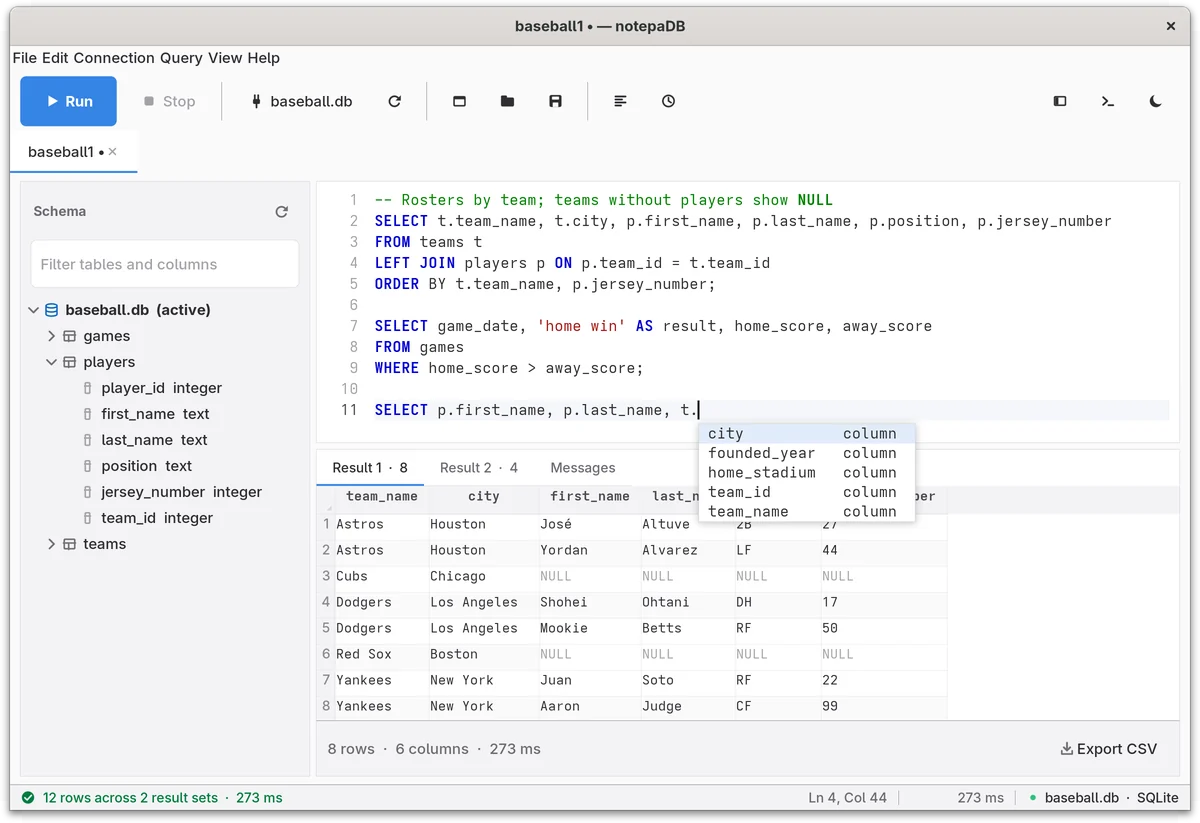
Suggestions come from the database you're connected to. Type FROM and pick a table; type an alias and a dot and pick one of its columns.
PyPIv0.2.0 Free software, GPL-2.0
Connect to a server and start typing. notepaDB suggests the real table and column names from that database, runs your SQL when you press F5, and shows the results in a grid.
pipx install notepadb
First install pipx and Tk: sudo apt install pipx python3-tk on Debian, Ubuntu or Mint. Fedora, Arch, openSUSE, macOS and Windows
| Row | team_id | team_name | city | home_stadium | founded_year |
|---|---|---|---|---|---|
| 1 | 1 | Astros | Houston | Minute Maid Park | 1962 |
| 2 | 2 | Yankees | New York | Yankee Stadium | 1903 |
| 3 | 3 | Dodgers | Los Angeles | Dodger Stadium | 1883 |
| 4 | 4 | Cubs | Chicago | Wrigley Field | 1876 |
| 5 | 5 | Red Sox | Boston | Fenway Park | 1901 |
Live demo. This window is a browser copy of notepaDB with a real SQLite database inside. Click into the editor, change the query and press F5.
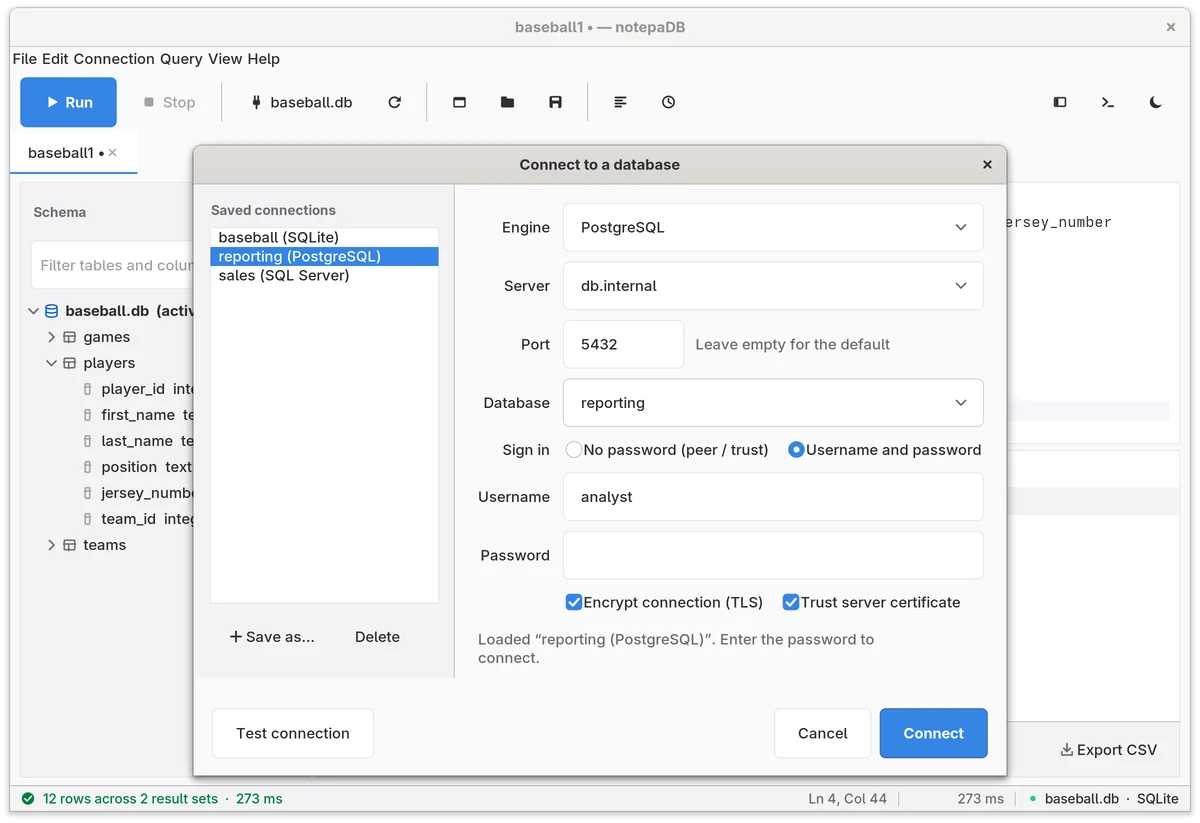
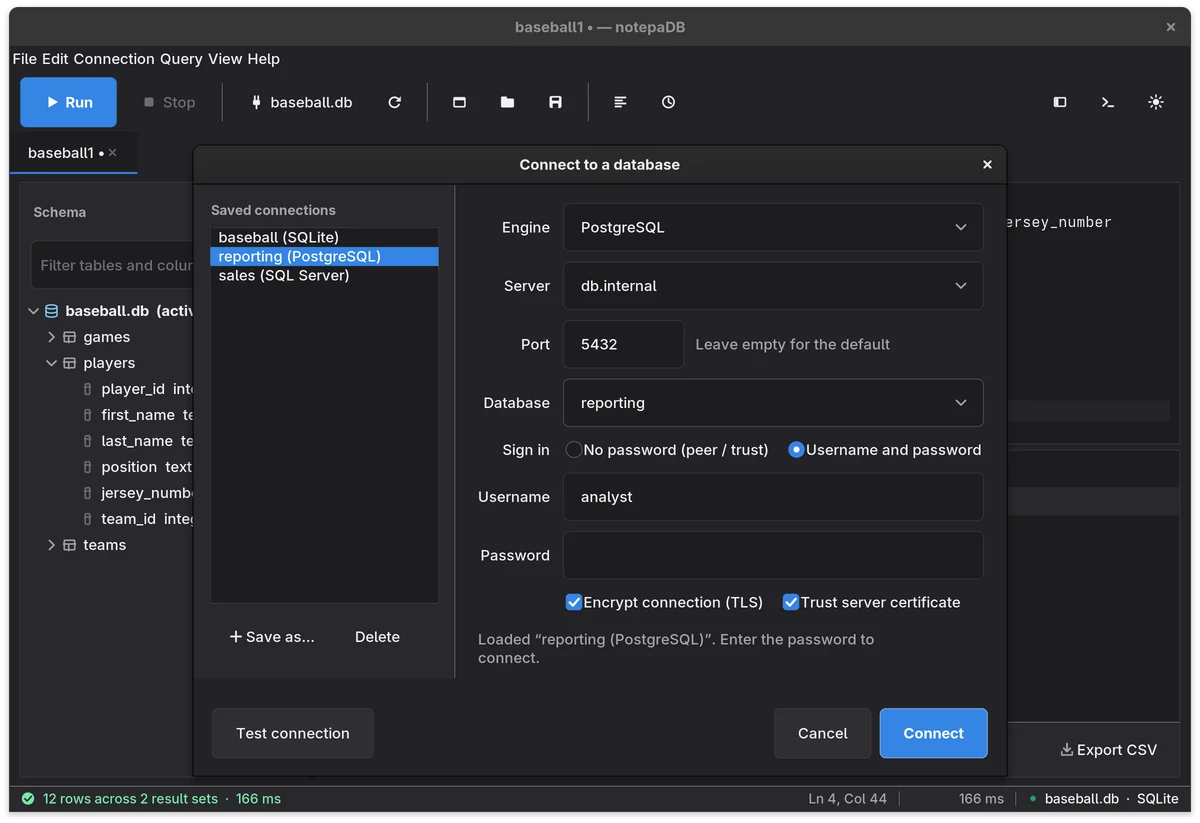
Pick SQL Server, PostgreSQL, MySQL, MariaDB or Oracle and a server, or a SQLite file. Each tab keeps its own connection.
Tables after FROM and JOIN, columns after an alias and a dot, all read from the live schema.
F5 runs the selection or the whole tab. Ctrl+Enter runs just the statement under the caret.
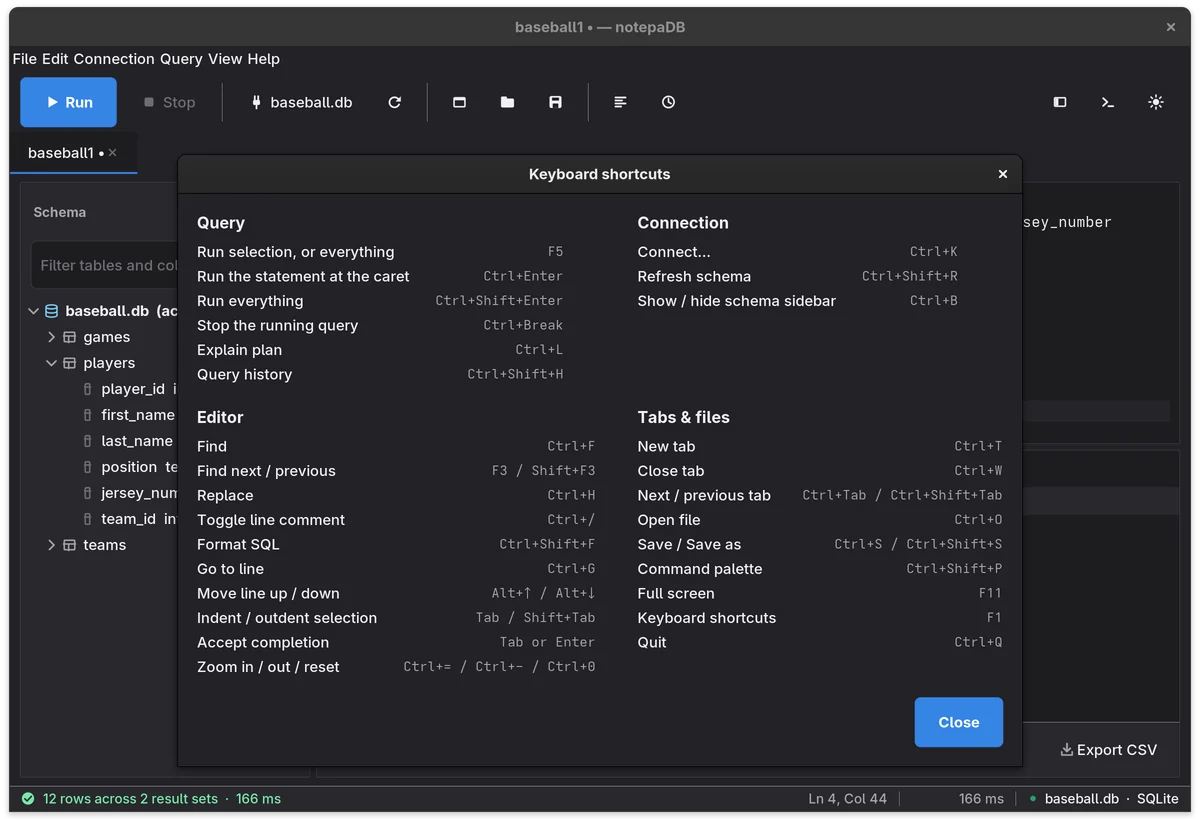
The window above is rebuilt in HTML so you can try it here. These are screenshots of the desktop app itself on GNOME 48, with GNOME's default fonts and settings. Switch this page between light and dark to see both themes.
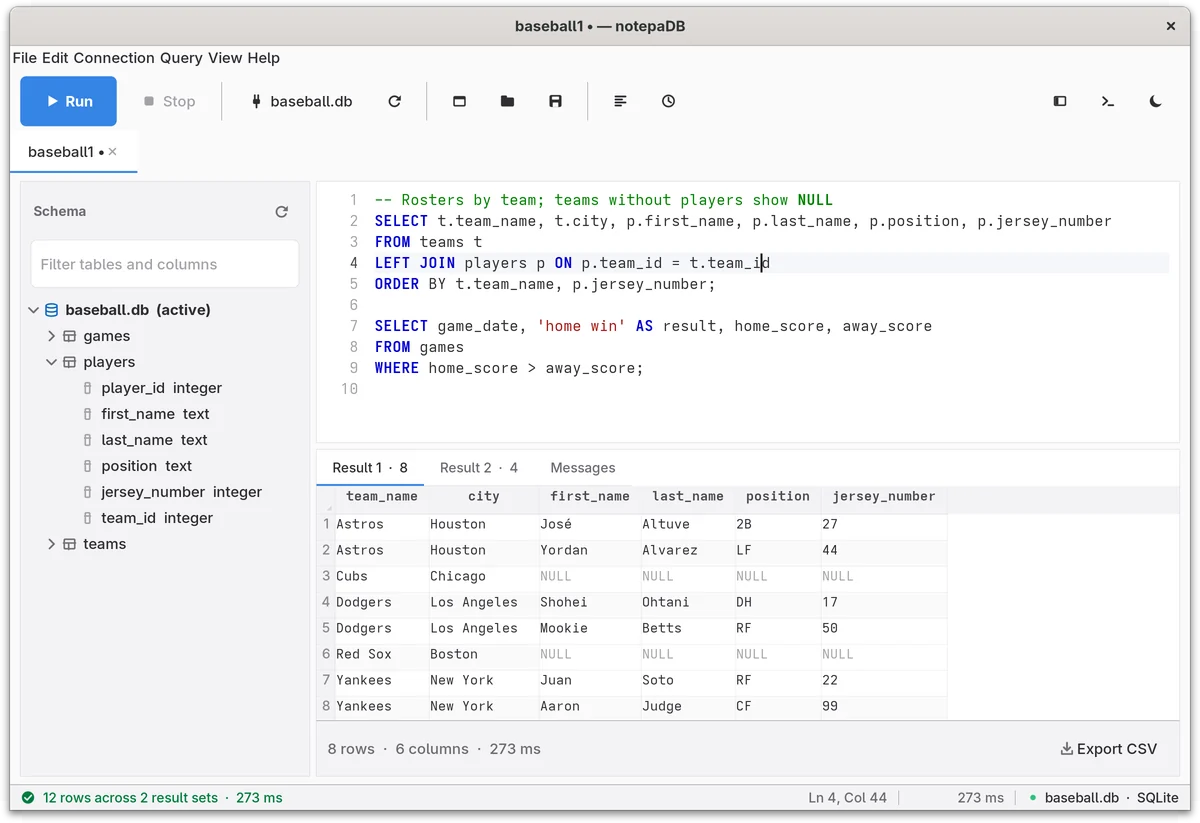
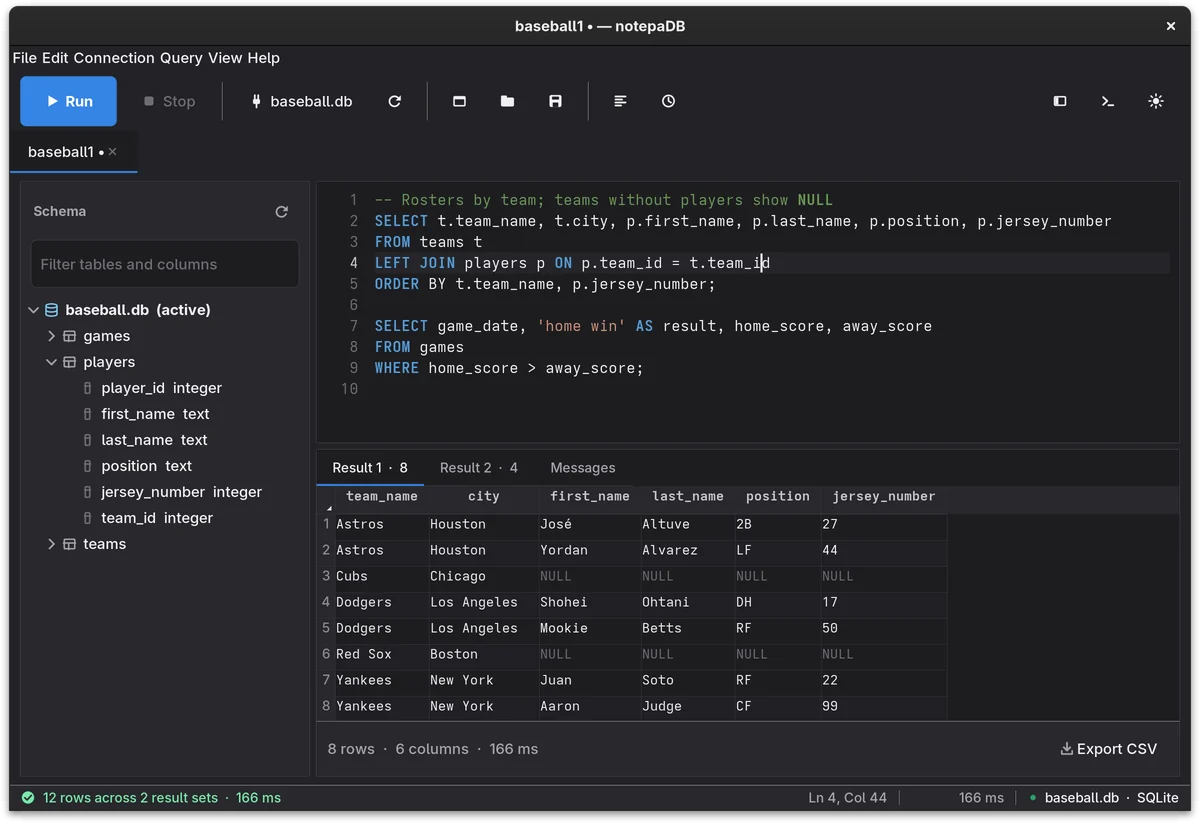
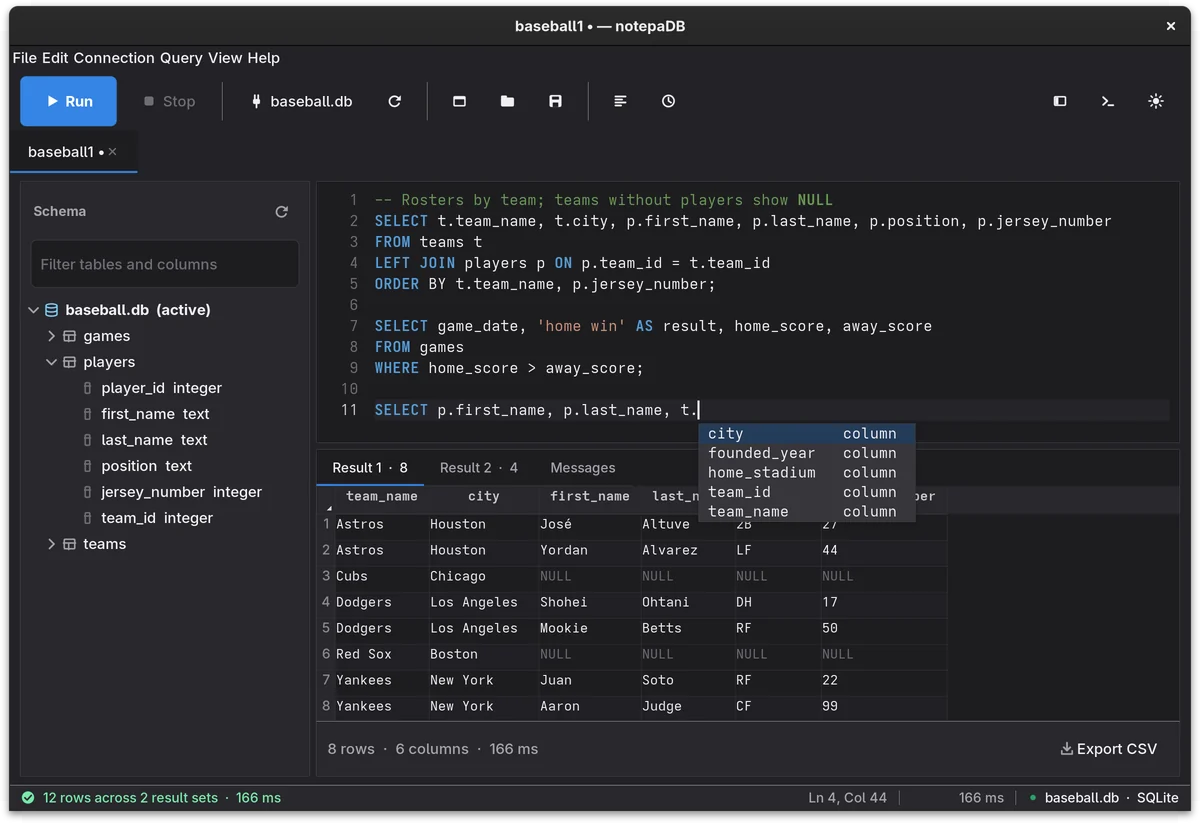
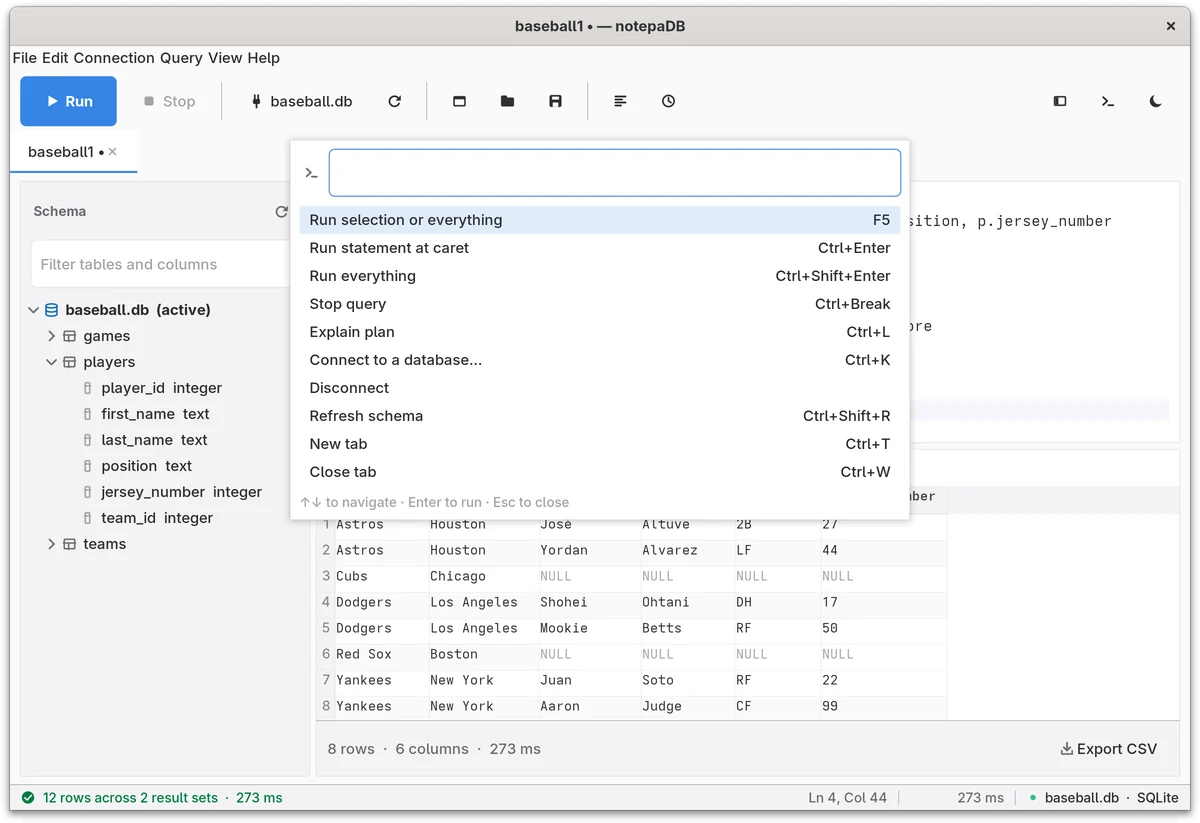
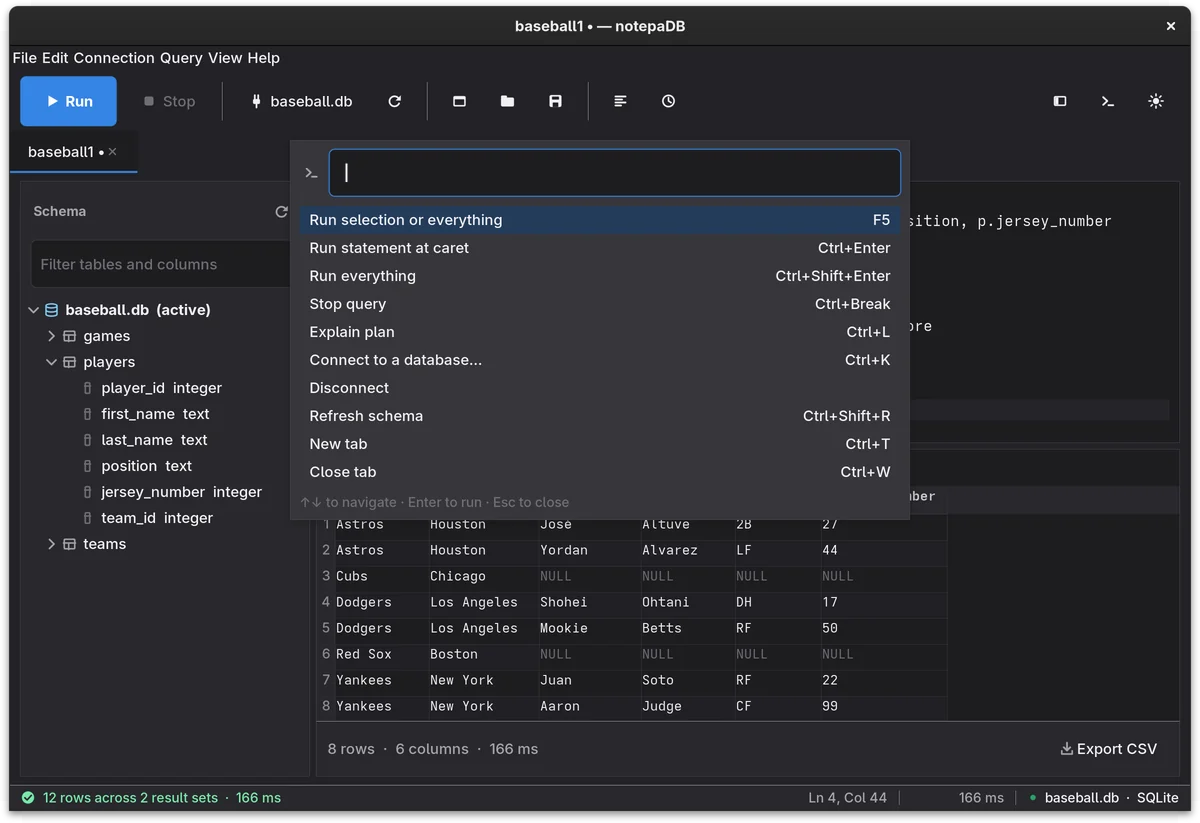
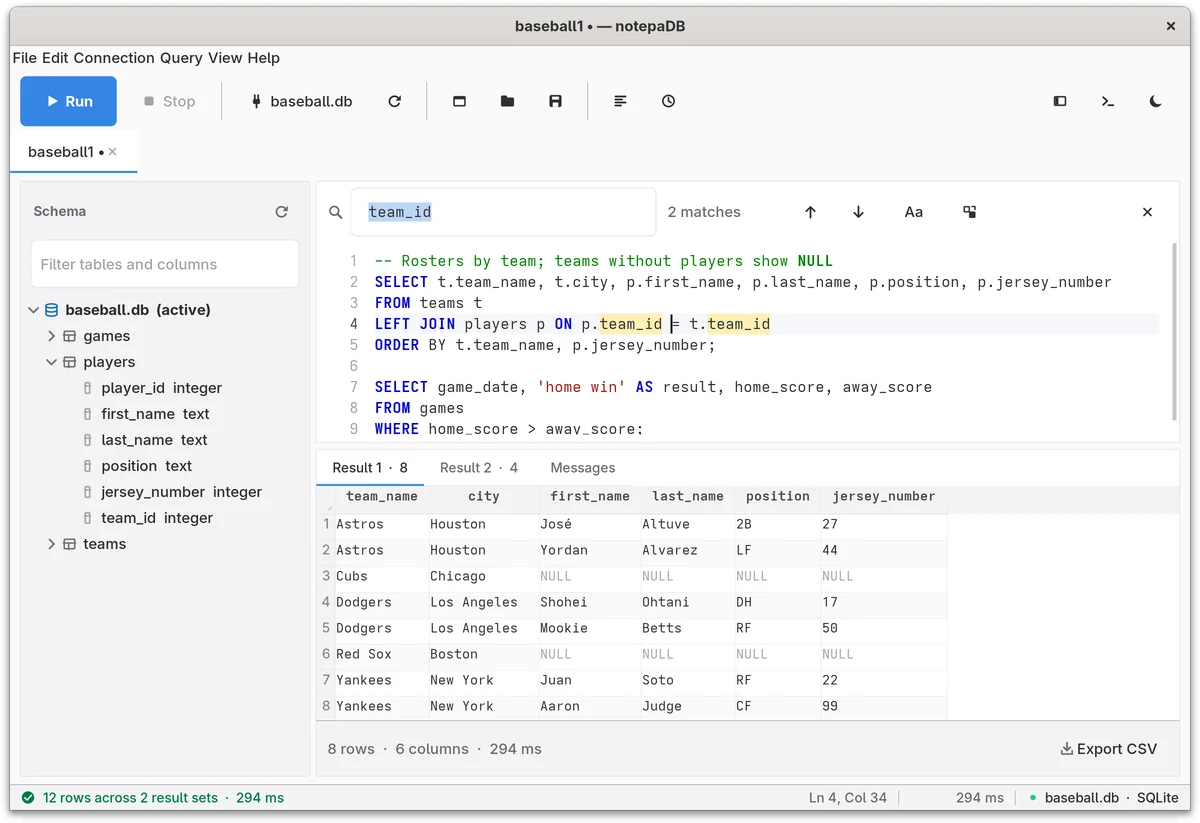
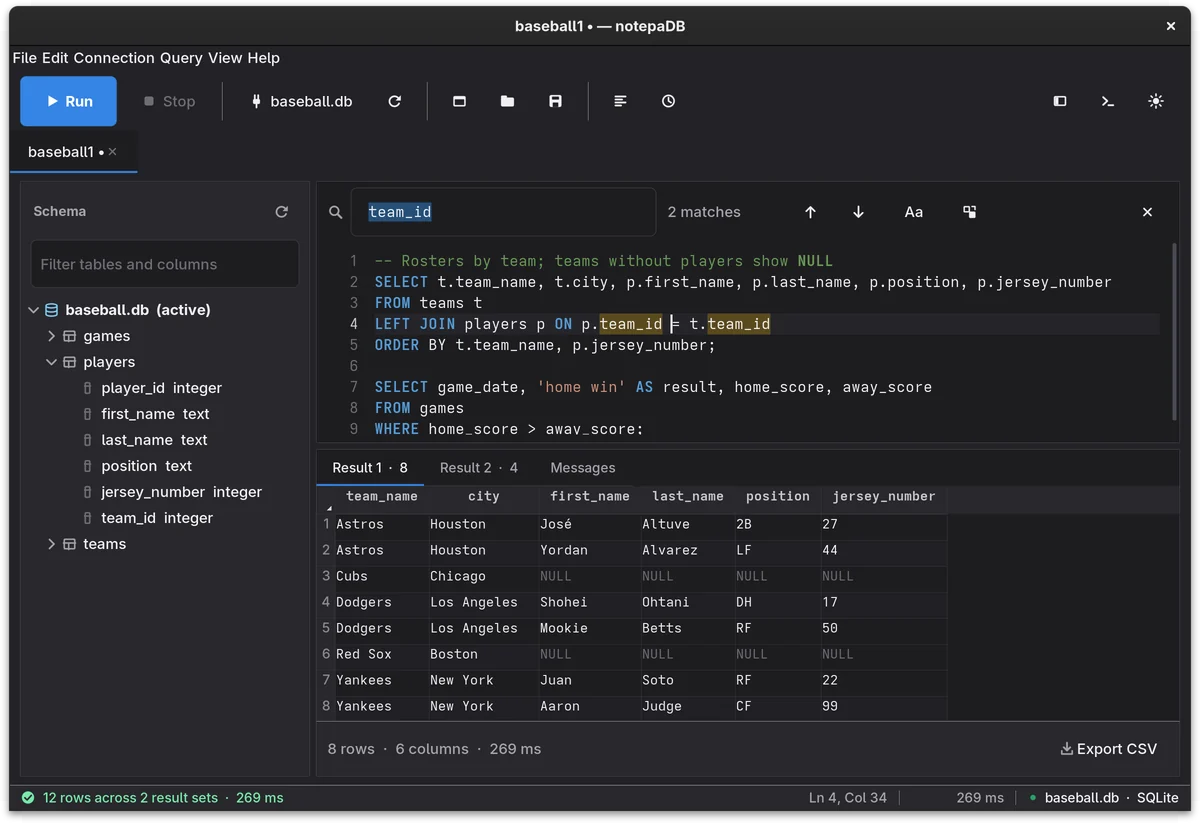
Quick lookups, one-off fixes, the script you run twice a week. notepaDB keeps the parts of a database IDE you use for that work, and it opens straight to an editor.
Suggestions come from the database you're connected to. Type FROM and pick a table; type an alias and a dot and pick one of its columns.
Each tab has its own connection, schema sidebar and results, like query windows in SSMS. Tabs name themselves after their database.
Keep a dozen queries in one tab and run the one under the caret. Batches split on semicolons, but not the ones inside strings or comments.
A script with five SELECTs gives you five result tabs. Messages keeps a timestamped log of row counts, timings and errors.
Every database on the server, with a filter and type-to-jump. Double-click a database to switch to it, drag names into the editor, right-click a table for the usual jobs.
Ctrl+Shift+P finds any command by name, opens any table, and switches databases, without leaving the keyboard.
Your last 300 statements, with time, duration, rows and connection. Filter them, preview one with highlighting, and put it back in the editor, or run it again.
Save a connection under a name and pick it next time. Test connection checks the details first, and passwords are never written to disk.
Unsaved tabs are autosaved every 30 seconds and offered back after a crash. notepaDB can also reopen your tabs on startup and reconnect the ones that need no password.
notepaDB reads your desktop's settings when it starts, so on GNOME it matches the apps around it.
Pick the engine in the Connect dialog. After that everything works the same way: the editor, autocomplete, schema sidebar, results and history. notepaDB writes the engine-specific SQL for you.
pyodbc with Microsoft's ODBC Driver 18 or 17 for SQL ServerUSE [db] on the same connection.SELECT TOP 1000 * FROM [sales].[orders]
SET SHOWPLAN_ALL ON;
SELECT * FROM orders WHERE id = 42;
SET SHOWPLAN_ALL OFF;
psycopg2SELECT * FROM "sales"."orders" LIMIT 1000
EXPLAIN SELECT * FROM orders WHERE id = 42
mysql-connector-python, which also works with MariaDBKILL QUERY on the first, the way the mysql client doesSELECT * FROM `orders` LIMIT 1000
EXPLAIN SELECT * FROM orders WHERE id = 42
oracledb in thin mode, so there's no Instant Client to installSELECT * FROM "SALES"."ORDERS" FETCH FIRST 1000 ROWS ONLY
EXPLAIN PLAN FOR SELECT * FROM orders WHERE id = 42;
SELECT * FROM TABLE(DBMS_XPLAN.DISPLAY());
sqlite3, so nothing to install.db, .sqlite, .sqlite3 or .db3 file.SELECT * FROM "orders" LIMIT 1000
EXPLAIN QUERY PLAN SELECT * FROM orders WHERE id = 42
Your habits carry over. SQL Server Management Studio runs only on Windows, and Microsoft retired Azure Data Studio on February 28, 2026. notepaDB runs on Linux, macOS and Windows.
Prefer to work inside an editor? Microsoft points Azure Data Studio users to its MSSQL extension for VS Code, which also runs on all three. notepaDB is the small window you open for a quick query.
| In SSMS | In notepaDB |
|---|---|
| Execute F5 | Run F5: the selection, or everything |
| Execute the current statement | Ctrl+Enter runs the statement under the caret |
| Display Estimated Execution Plan Ctrl+L | Explain plan Ctrl+L, for all five engines |
| Select Top 1000 Rows | Right-click a table → Select top 1000 rows, in a new tab |
| Script Table as → CREATE To | Right-click a table → Script as CREATE TABLE |
| Query windows, SQLQuery1.sql | Tabs named after their database: Sales1, Sales2 |
| Object Explorer | Schema sidebar with every database, a filter, type-to-jump and drag-and-drop |
| Messages tab | Messages tab, with a timestamp on every line |
| Windows Authentication | Windows authentication or SQL Server login, Encrypt connection (TLS), Trust server certificate |
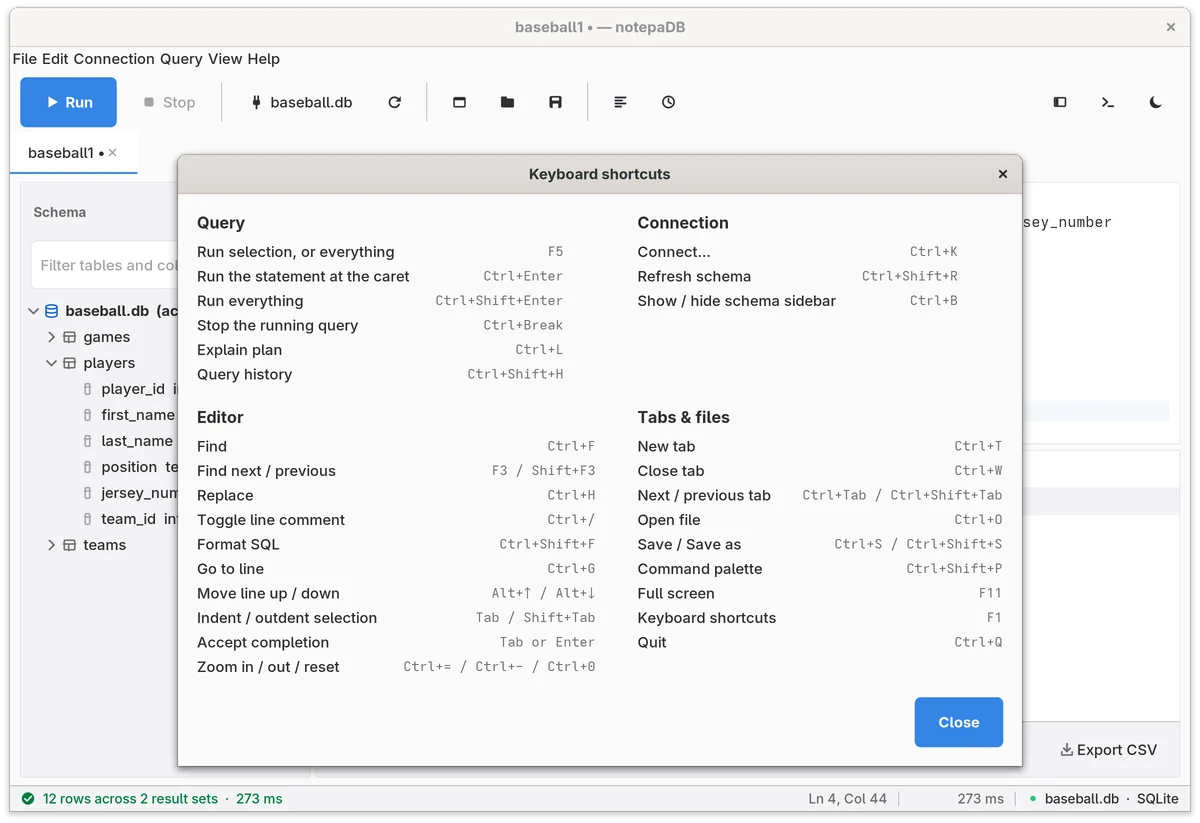
F5 runs, the same key as in SSMS. Everything else has a shortcut too, and F1 in notepaDB shows this list.
notepaDB is a regular Python package. pipx installs it into an environment of its own and puts the notepadb command on your PATH.
Installing brings the drivers for all five engines with it. A missing system library only matters when you connect with that engine.
$ sudo apt install pipx python3-tk
$ pipx ensurepath
$ pipx install notepadb
$ notepadb
$ sudo dnf install pipx python3-tkinter
$ pipx ensurepath
$ pipx install notepadb
$ notepadb
$ sudo pacman -S python-pipx tk
$ pipx ensurepath
$ pipx install notepadb
$ notepadb
$ sudo zypper install python3-pipx python3-tk
$ pipx ensurepath
$ pipx install notepadb
$ notepadb
Why not plain pip install? Debian, Ubuntu, Mint, Arch and openSUSE Tumbleweed mark the system Python as externally managed (PEP 668), so pip outside a virtual environment stops with error: externally-managed-environment. pipx makes that environment for you.
Using uv? uv tool install --no-managed-python notepadb runs it on your distribution's Python and Tk, which render fonts better on Linux than uv's own Python builds.
On Python 3.15, for example Fedora 45, the SQL Server driver pyodbc has no prebuilt package yet, so install on Python 3.14 with uv tool install --managed-python --python 3.14 notepadb.
$ brew install uv
$ uv tool install --managed-python --python 3.14 notepadb
$ notepadb
uv's own Python 3.14 includes Tk, so there's nothing else to install. It's pinned to 3.14 because Homebrew's Python is now 3.15, and the SQL Server driver pyodbc has no prebuilt package for 3.15 yet. If the notepadb command isn't found, run uv tool update-shell and open a new terminal.
On a Mac, notepaDB's menus sit in the menu bar at the top of the screen, like other Mac apps.
> winget install --id=astral-sh.uv -e
> uv tool install --python 3.14 notepadb
> notepadb
Open a new terminal after installing uv. uv uses your Python 3.14 if you have one, or fetches its own, and both include Tk. Already on Python 3.9 to 3.14 from python.org? py -m pip install notepadb works too, if Python's Scripts folder is on your PATH.
A standalone notepadb.exe that needs no Python is built for each tagged release on GitHub. None has been published yet.
$ git clone https://github.com/DrorMaor/notepadb.git
$ cd notepadb
$ python3 -m venv .venv && . .venv/bin/activate
$ pip install -r requirements.txt
$ python -m notepadb
SQLite is the easiest engine to try a change against, since it needs no server.
msodbcsql18). On Linux and macOS it comes from Microsoft's package repository and brings unixODBC with it: see the guides for Linux and macOS.About 7,400 lines of Python in five modules, built on Tkinter. Settings, history and autosaves are plain files on your computer, and the only connections notepaDB opens are to your databases.
What it isn't: there are no table designers, diagrams, schema compare or admin screens. Keep SSMS, DBeaver or your IDE for those.
# db_backends.py: a new engine is one subclass
class MyEngineBackend(DbBackend):
    label = "My Engine"

    def connect(self, server, database=None, **kwargs): ...
    def list_databases(self): ...
    def use_database(self, name): ...
    def list_schema(self, database=None): ...
    def execute(self, sql): ...

BACKENDS["myengine"] = MyEngineBackend
notepaDB is a spare-time project by Dror Maor, licensed GPL-2.0. If it saves you time, you can buy Dror a coffee.
Something else? Open an issue on GitHub.
Yes. It's free and open source under the GPL-2.0 license. If it saves you time, you can buy the author a coffee.
SQL Server, PostgreSQL, MySQL, MariaDB, Oracle and SQLite. Each tab connects on its own, so you can have several engines open side by side.
Yes. The screenshots on this page are from GNOME 48 on Debian 13. Install it with pipx after adding Tk from your distribution's packages, as shown under Install.
pip install notepadb fail on Ubuntu or Debian?Those distributions protect the system Python (PEP 668), so pip refuses to install into it and prints error: externally-managed-environment. Use pipx install notepadb, which creates a separate environment for the app.
Python 3.9 to 3.14, with Tk. On 3.15, the SQL Server driver pyodbc has no prebuilt package yet, so installing would mean compiling it. The install steps above pin 3.14 wherever 3.15 is the default.
Yes. notepaDB is Python and Tk, and both run on macOS and Windows. It follows the system's light or dark setting there too, and on a Mac the menus move to the menu bar at the top of the screen. Install it with uv as shown above, and please report anything that looks wrong.
No. Saved connections, recent servers and restored sessions keep everything except the password. Tabs that use Windows authentication or SQLite reconnect on their own; the others ask you to connect again.
In files on your computer. notepaDB has no telemetry and no account, and it only connects to the databases you choose.
The first 2,000 rows of each result set. The footer under the grid says how many rows the query returned, so you know when there are more. Export CSV under the grid saves the rows the grid shows; to export a whole table, right-click it in the sidebar and pick Export table to CSV, which writes up to 100,000 rows.
It covers writing and running SQL: autocomplete, results, explain plans and history. It has no table designers, diagrams or admin screens. Keep your IDE for those and open notepaDB for the quick work.
It's a browser copy of the notepaDB window. The autocomplete follows the desktop app's rules, ported to JavaScript, and queries run on SQLite compiled to WebAssembly. The desktop app itself is Python and Tk; the screenshots show it on GNOME.
Open an issue on GitHub with the engine, your OS and Python version, and the steps to reproduce it. Leave out real connection strings, hostnames and credentials.
Connect, type, press F5. That's the whole workflow.
pipx install notepadb